
As WordPress doesn’t have a built-in section to allow the site’s users to upload the file, you can rely on a WordPress file upload plugin.
However, choosing the best file and picture upload plugin with plenty of options available might be difficult.
But don’t worry; after extensive research, we’ve handpicked some of the best WordPress file submission plugins. Hence, explore each plugin through our article and get your best fit.
Before getting straight into the list, it’s essential to understand why you should use the WordPress picture upload plugin. So, let’s learn that first.
Why Use a WordPress File Upload Plugin?
When you build a new WordPress website, you already have a target audience in mind. At the same time, you may want to convert your audience into users and let them perform specific actions on your site.
For example, you might require them to upload pictures, videos, resumes, guest posts, etc. The website needs a way for users to upload files and pictures, as WordPress doesn’t have a built-in feature.
The easiest solution to this is a file upload field or button. While creating such a field from scratch is possible, not everybody can. Also, it’s a time-consuming job, as the field should be able to accept almost all types of files and pictures.
Hence, in such a case, a WordPress file upload plugin is the perfect solution.
A good WordPress file submission plugin is easy to use and helps create such fields within a minute. Further, they let you decide crucial factors such as file types, file sizes, the maximum number of files, and so on.
Therefore, the file and picture upload plugin is the best way for users to share their files.
13 Best WordPress File and Picture Upload Plugins
Now that you understand the importance of WordPress file upload plugins, let’s dive into our list. The plugins mentioned in the list offer unique features and make your file and picture management process seamless.
1. Everest Forms
Everest Forms is a popular form builder plugin that allows the creation of all types of forms. Besides, it’s also one of the best plugins for letting users upload and submit files.

Using the plugin’s drag-and-drop feature on your WordPress website, you can easily create a file and picture upload field.
You can also save the files collected from the form submission directly to Google Drive or Dropbox by authenticating them with your site.
Meanwhile, it supports multiple file and image uploads simultaneously; users can also easily drag and drop their files in the field.
Moreover, it shows the uploading progress for each file in percentage and the message “File Uploading…” at the top. You can configure the file types from the form setting options to accept the file types of your choice and reject the other types.
Key Features
- Export data in CSV format
- Unlimited form fields
- Quick form preview
- Mobile responsive
- Support for eSignature
Price: Free or $49 for a Personal Plan
2. User Registration & Membership
User Registration & Membership is a WordPress plugin for building beautiful registration forms and running a membership site. For file uploads, it comes with the User Registration File Upload add-on, which lets you add a file upload field to any form.

With this add-on, members can easily upload resumes, pictures and other files while they sign up. You can also add multiple file upload fields to a single form, which is handy for membership applications that need several documents.
Admins can download the uploaded files by choosing the form they came from. Members can delete and replace their own uploads later, so their profile stays current without admin help.
You can also set a maximum file size and allowed file types. If a member’s upload breaks these limits, an error message appears right in the form.
Key Features
- Drag-and-drop builder
- Multiple file upload fields
- Download the attached files of users in ZIP format
- Email notifications
- Create invitation codes for users to register on your site
Price: Free or $99 for a Personal Plan
3. Document Library Pro
Document Library Pro is a WordPress plugin that turns your documents into a searchable, sortable and filterable table you can place on any page.

Visitors can search by keyword, sort by any column, and narrow results by category and tag, which keeps large libraries easy to browse.
Documents can be shown as a table, a grid or collapsible folders, so you can pick the layout that suits your content. Supported file types open in a lightbox preview, so people can check a document before downloading it.
Document Library Pro suits resource centers, policy libraries, course materials and member download areas. It is a premium plugin, with plans starting at $149 per year for one site.
Key Features
- Front-end file submissions, plus drag-and-drop and CSV import
- Searchable, sortable document table with AJAX search and filters
- Table, grid and folder layouts
- Download tracking
- Works with any file type, including PDF, Word, Excel, PowerPoint, images, audio and video
- Filter by category and tag
Price: No free version, but there’s a free trial. Paid plans start at $149/year for 1 site (Essentials). The Advanced plan is $199/year and adds access restrictions, lead capture before download and version control.
4. WPForms
WPForms is a popular contact form plugin with a file upload field. It lets you collect various user information, such as images, PDFs, documents, and videos.

You can create a file upload field in your WordPress form with a single click or use the pre-built templates.
For security, the admin can restrict file types by specifying the file extension they want with WPForms. Moreover, you can set a maximum file upload size and save storage space.
At the same time, the admin can view the uploaded files from the WordPress dashboard.
Key Features
- Spam protection
- Add custom captcha
- Form locker add-on
- Smart conditional logic
- User journey add-on to see the pages and posts users visit
Price: Free or $49.50 for a Basic Plan
5. Gravity Forms
Gravity Forms is another WordPress file upload plugin with over 30 custom fields that lets you add almost all data types.

The file upload field allows users to upload files seamlessly. Once the user uploads the files, they are automatically saved to your server. Gravity Forms also integrates the file upload field with Dropbox using its Dropbox add-on.
Further, it allows users to submit documents, images, audio, and videos and accepts multiple files simultaneously.
As an admin, you can specify the file type your users can upload and set the limit on their uploads. Additionally, conditional logic can hide or display the upload field.
Key Features
- Multiple language support
- Field validation
- Digital signatures
- Preview form before submission
- WordPress multisite compatibility
Price: Free or $59 for a Basic Plan
6. Ninja Forms
Ninja Forms is a beginner-friendly form-building plugin that helps you design your forms like a pro. It also lets you add a convenient file-uploading field to your WordPress forms.

The field accepts files, such as documents, images, media, etc. It also has a progress bar showing the progress of the file being uploaded.
At the same time, it saves the file on the server by default, whereas you can also modify and save it in the library.
Other restrictions for the file include a file limit, a file size limit, and allowed file types. Moreover, you can also rename the files after the user completes uploading.
Key Features
- 100% beginner-friendly
- Send files directly to Dropbox, Google Drive, and Amazon s3
- Export submissions as PDFs, excel files, or Google Sheets
- Customizable email notifications
- Beautifully matches the theme’s design decision
Price: Free or $99 for a Plus Plan
7. Forminator
Another WordPress file upload plugin, Forminator, allows users to upload files and pictures. The plugin allows users to enable single or multiple file uploads.

You also have the option to specify file types, limit the number of files, and set the individual file size.
You can add the file and picture upload fields to your WordPress site using its drag-and-drop visual builder.
Furthermore, as the field supports a drag-and-drop interface, it’s easy for users to upload files and pictures to the WordPress site; simultaneously, the option to browse the files is also available.
Key Features
- Easy form calculations
- 25+ form fields
- Google reCAPTCHA
- Integration with popular third-party apps
- General Data Protection Regulations (GDPR) compliant
Price: Free or $3per month
8. File Manager
File Manager is a plugin solely focused on managing files on your website. It offers various operations, such as editing, deleting, uploading, and downloading files.
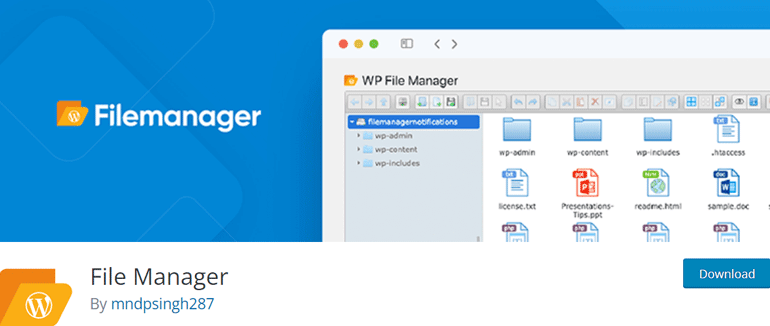
At the same time, it also lets you copy and paste files and folders from the WordPress dashboard.
On the other hand, you can create, extract, and archive the files uploaded to your site. It also allows you to control what files will be uploaded and downloaded.
As an admin, you can view all the files’ details, like properties and information; right-click the file and select “get info” to view the details. On the other hand, you can allow users to access the front end through shortcodes.
Key Features
- Syntax checker available
- Share files by email
- Built-in trash
- Easily preview common file types
- File and folder browsing history
Price: Free or $25 for a Single Site License
9. Advanced File Manager
Advanced File Manager is a powerful plugin for managing files and letting users upload files on the WordPress site.

Using the plugin, you don’t need to use cPanel or FTP to carry out file-related operations such as copying, uploading, deleting, zipping, etc.
Additionally, the premium version provides shortcodes for users to upload front-end files. Further, you can easily access the files inside and outside the root directory.
One of the plugin’s exciting features is hiding the files’ real and actual paths. Moreover, it supports file search and sorting, multiple selections, auto-resize, and many more.
Key Features
- Uses local file system (no need for a database)
- Rich context menu and toolbar
- Thumbnails for image files
- Support for folder upload
- Chunked file upload
Price: Free
10. Drag and Drop Multiple File Upload
Drag and Drop Multiple File Upload is an extension for the Contact Form 7 WordPress plugin that allows users to upload files and pictures using drag-and-drop features.

The plugin is responsive, and the admin can easily specify the files’ extensions. Additionally, managing text and error messages is also easy with the plugin.
In the pro version, various options, such as modifying the filename before uploading the file, previewing the image, ZIP files, etc., are available.
Furthermore, it allows for parallel uploads, which helps reduce the server’s resource usage. At the same time, users can send files as email attachments or even as links.
Key Features
- File type and file size validation
- Ajax uploader
- Supports multiple drag-and-drop in a single form
- Compatible with any browser
- Users can delete uploaded files before submitting
Price: Free or $34.99 for a Single Site
11. WordPress File Upload
WordPress File Upload is a plugin that lets users easily upload files and pictures to the WordPress site from any post, page, or sidebar.

It also supports uploading files by capturing screenshots or videos from a webcam. After a successful submission, it supports redirection to another URL.
The plugin displays the uploaded files in a top-level menu at the backend and has a file browser for the admin to access and manage uploaded files.
You can also add custom fields to allow the user to submit additional data and files. Additionally, it supports filters and actions for the files before and after the upload.
Key Features
- Supports additional form fields
- Produces notification messages
- Highly customizable, with more than 50 customization options
- Usable as a simple contact form to submit data
- Progress bar to show the uploading progress
Price: Free or €20 for Premium Version
12. Frontend File Manager Plugin
Frontend File Manager Plugin is an interesting WordPress file upload plugin for users that saves every file in a private directory.

It also lets users easily download their files after they log in. It has a secure uploader script with a fast, responsive, and beautiful user interface. Further, thumbs for images and labels for upload and save buttons are also available.
The plugin exists in both free and pro versions, where the pro version has features like the Visual Composer add-on, file meta, file groups, and so on.
You can also rename the file using the timestamp prefix and set the file size quota for roles. Additionally, it’s possible to set a notification message for the admin and an alert for users to complete file uploads.
Key Features
- Thumbs for images
- Allow users to share the file via email
- Create unlimited download areas
- File detail popup
- Create directories
Price: Free or $35 for a Pro Plan
13. File Upload Types by WPForms
File Upload Types by WPForms is a plugin that allows users to upload file and picture types beyond WordPress’s limit.
It works closely with WPForms, so uploading the file through the contact forms using WPForms is easy; in fact, the plugin was created by the WPForms team.
It lets you adjust the internal file whitelist and control file extension types. The plugin also supports any file type with extensions, MIME, and custom file types.
The plugin allows some standard file extensions, such as .ai, .zip, .xml, .mobi, and .dwg.
Key Features
- Highly secure
- Completely free
- Accepts additional file formats
- Compatible with almost all popular WordPress themes
- Translation ready
Price: Free
Wrapping Up
As we have come to the end of the article, we hope you’ve gained much knowledge about file and picture upload plugins and can choose the best one for your website.
If you’re still in doubt and want us to pick one, we’ll go with Everest Forms. It provides file upload fields and has multiple other features, such as contact forms and email marketing tools.
User Registration & Membership also offers enough features, as the plugin supports payments, profile connect, WooCommerce, and more.
If you want a dedicated file upload/share plugin Document Library Pro is worth a try. It displays your documents in a searchable, sortable and filterable table, so visitors can find, preview and download PDFs, Word docs and other files without digging through the media library.
Nevertheless, all the plugins mentioned above help you handle files and pictures on your WordPress site, but each has its own functionality. Henceforth, pick the one that best fits your website.
That was it for the article on the best WordPress file and picture upload plugins.
You may also read our other articles on social share plugins, lead generation plugins, call-back request plugins, and survey plugins to create a fully functional professional website.
Visit us on X (formerly Twitter) and Facebook to get notified about new articles.